

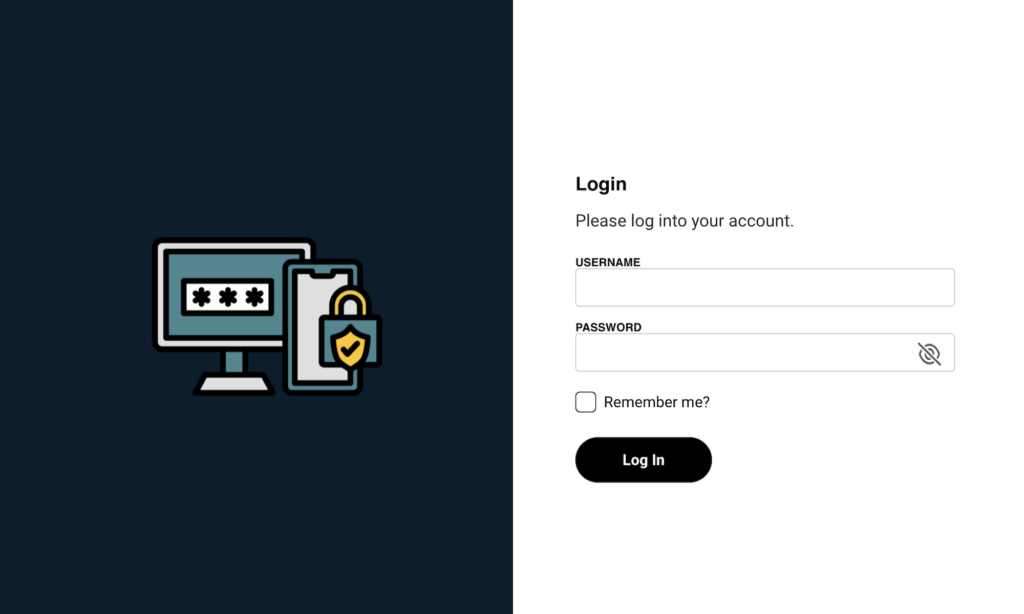
Marriott Vacation Club has recently announced the rollout of two-factor authentication (2FA) for their Owner website, adding an extra layer of security for their timeshare owners. While this update enhances the safety of online accounts, it could cause some owners frustration as they are getting used to this new method of logging into their account.
As a timeshare resale company dedicated to making our clients’ ownership experience amazing both before and after the transfer is completed, we’re breaking down what this means for Marriott Vacation Club owners. In this article, we’ll cover everything you need to know to make the switch to two-factor authentication, and prevent being locked out of your account. Let’s dive in!

What is Two-Factor Authentication?
Two-factor authentication is a security measure that requires users to provide two forms of identification to access their accounts. In addition to a username and password, owners will need to verify their identity using a secondary method, such as a mobile phone number, email address, or a code that is displayed in an authenticator app (don’t worry, we’ll explain this in detail later in the article). This additional step helps protect accounts from unauthorized access, even if login credentials are compromised.

How Will It Work for Marriott Vacation Club Owners?
According to the email sent to owners, the implementation of two-factor authentication will begin in February 2026. Here’s what owners can expect:
- Registration Prompt: Owners will be prompted to register for two-factor authentication when logging into their accounts.
- Verification Options: Once registered, owners can choose how they’d like to receive their one-time login code, through text message, email or using an authenticator app.
- Enhanced Security: After setup, owners will need to enter the one-time code in addition to their username and password to access their accounts.
This process is designed to be straightforward and user-friendly, ensuring that owners can easily adapt to the new security measure.
How To Enroll in Two-Factor Authentication
In order to enroll in two factor authentication, you’ll need to follow a few easy steps:
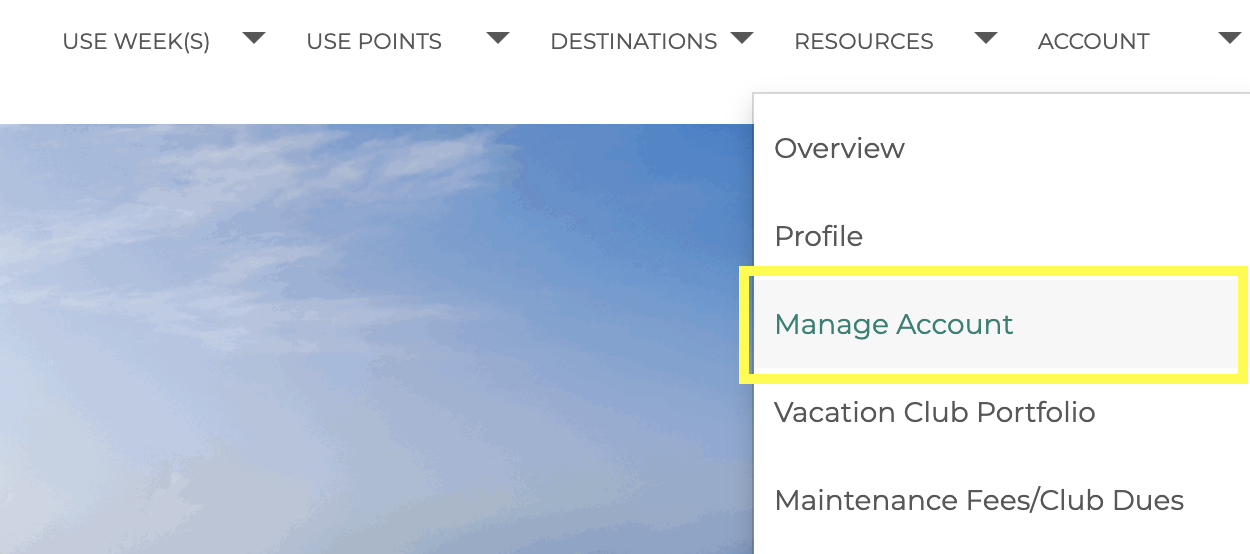
- First, you’ll need to login to your account
- In the site’s top navigation menu, find the “Account” menu item, hover over it to open the sub-menu, then select the “Manage Your Account” menu item
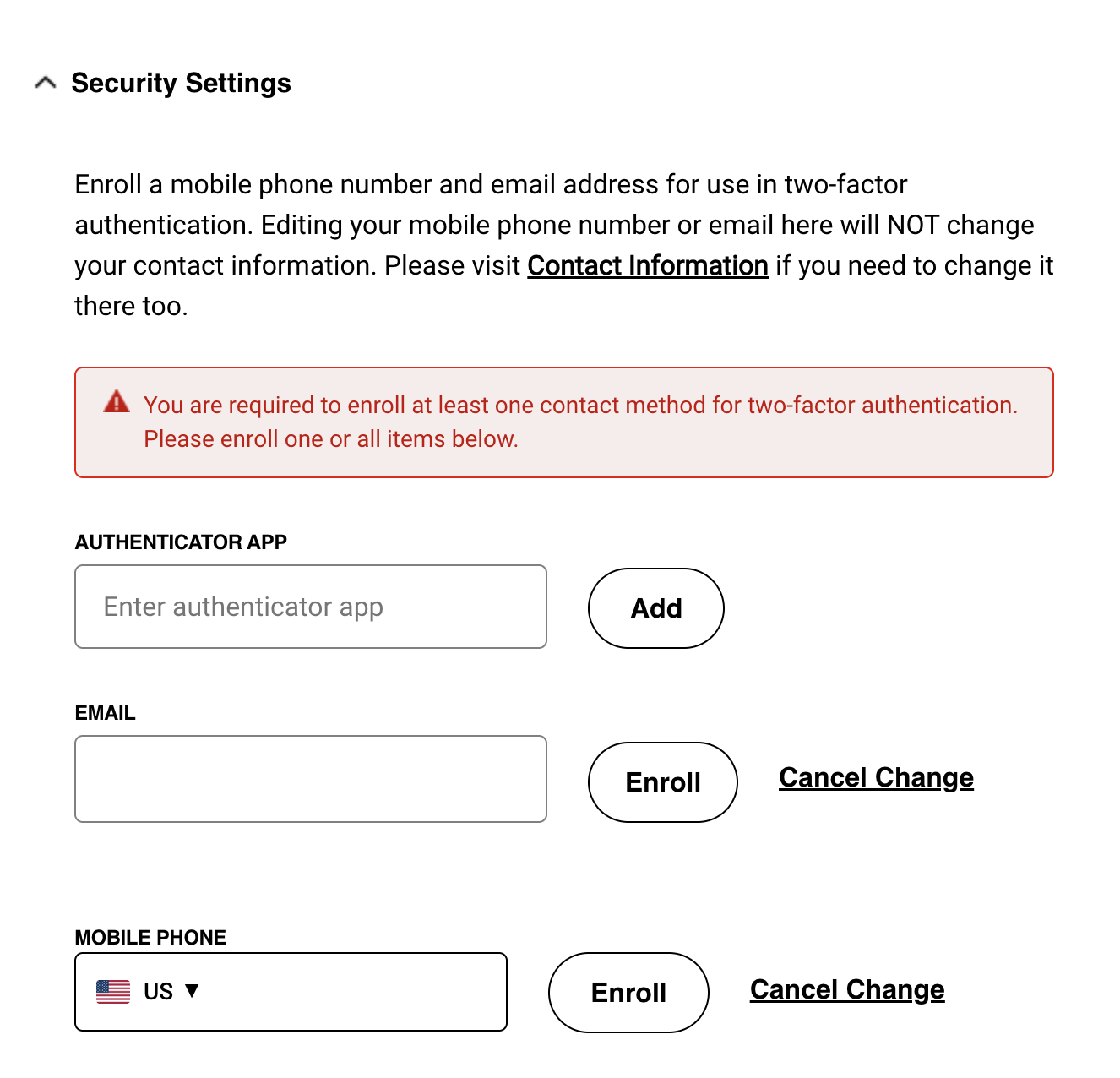
- Scroll down to the Security Settings section, and you’ll see three options for enrollment; Authenticator App, Email, and Mobile Phone.
- You can choose any number of options, even all three if you’d like multiple ways to login.
How To Use An Authenticator App As Your Second Form of ID


1. Download an Authenticator App
- Open the App Store (iPhone) or Google Play Store (Android).
- Search for your preferred authenticator app. Popular options include Microsoft Authenticator, Google Authenticator, and Authy.
- Tap “Download” or “Install.”
Note: If you already have an authenticator app installed on your device, you may use that.
2. Open the App & Update Permissions
- Tap the app icon to open it.
- If required, sign in using your chosen credentials.
Note: If you’re signing in to the app for the first time, be sure to allow any necessary permissions, like camera access.
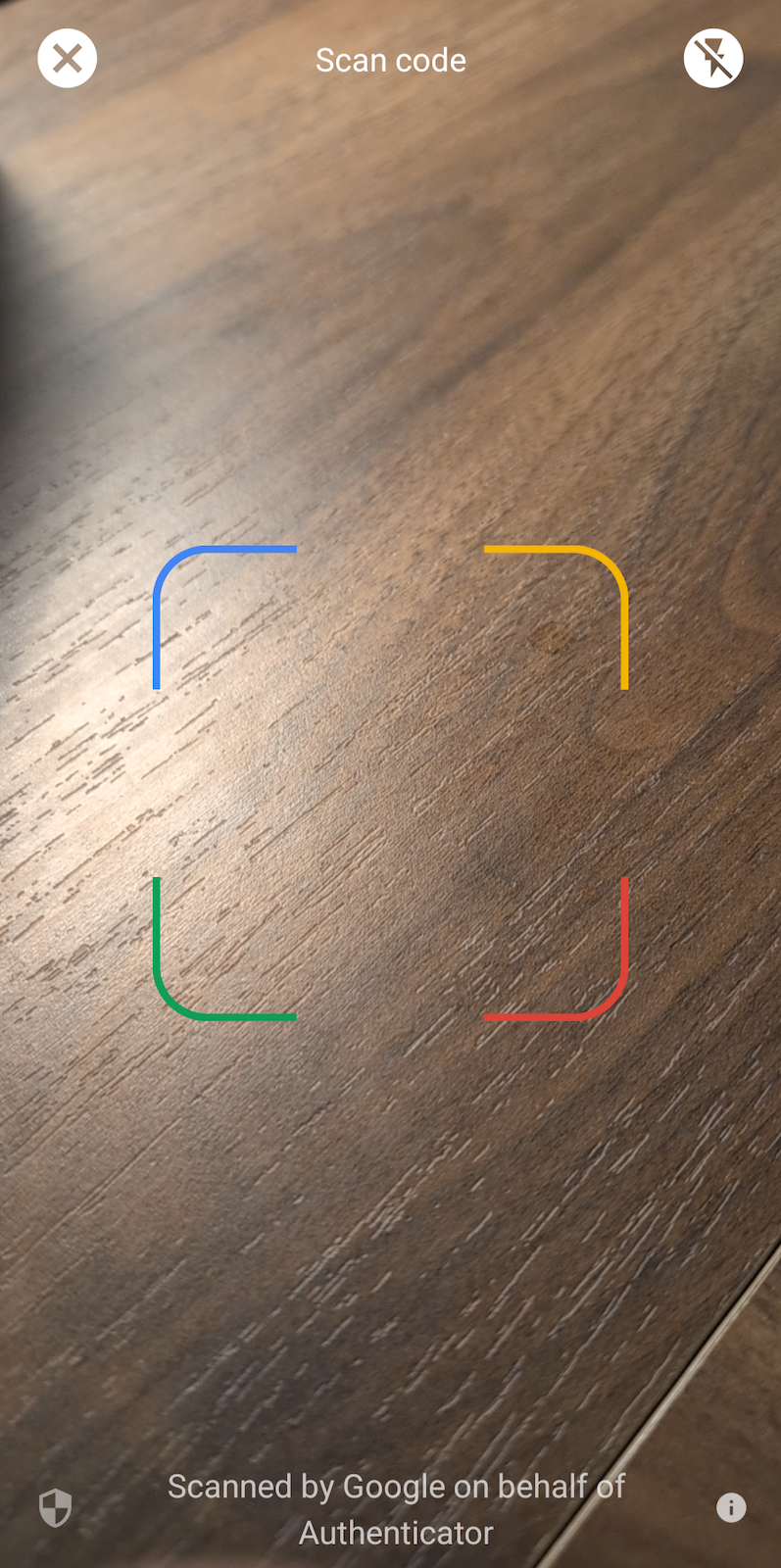
3. Scan the QR Code
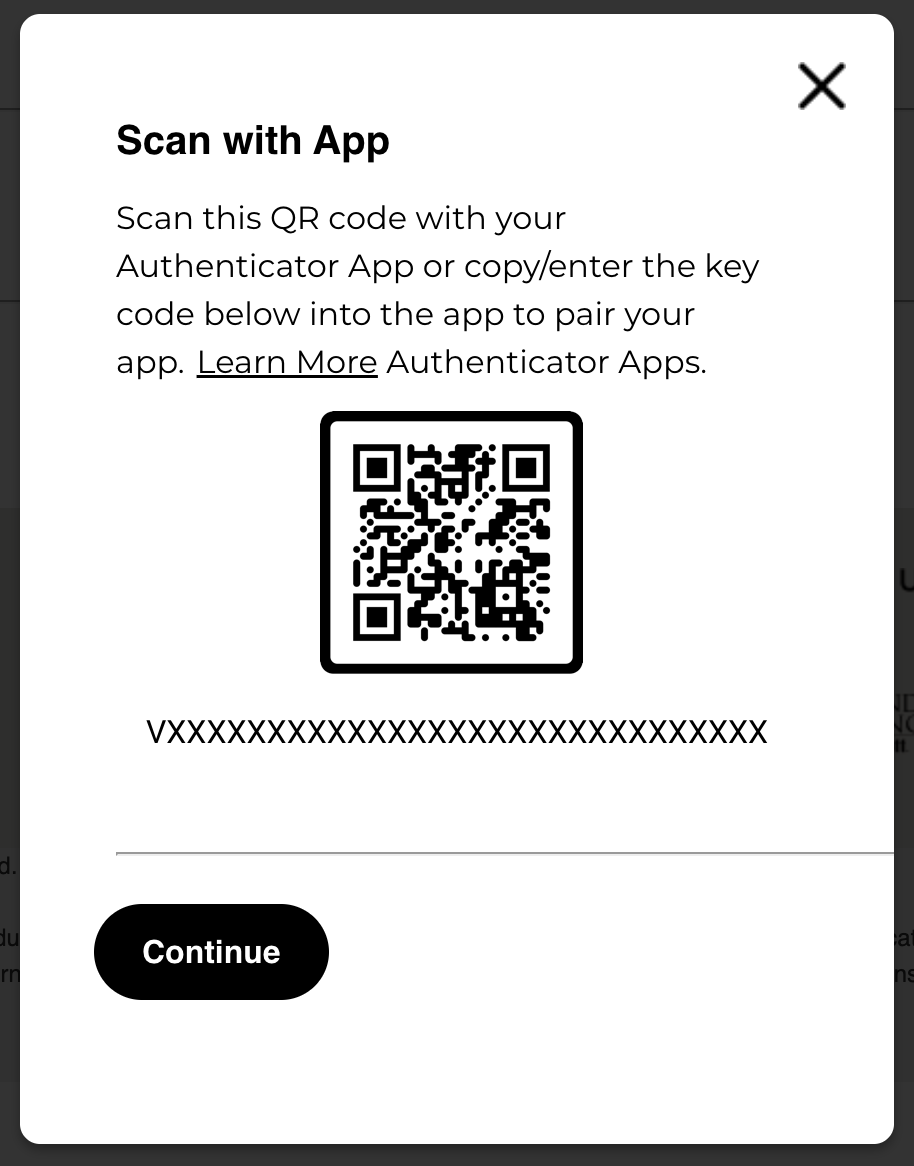
- On your computer screen, you’ll see a QR code.
- In your authenticator app, tap “Add Account” or the “+” symbol.
- Point your phone’s camera at the QR code. The app will scan the code automatically.
4. Use the Code to Sign In
- The app will now show a six-digit code that changes every 30 seconds.
- Type the current code into the appropriate box on your computer screen.
- Once verified, you’ll be logged in to the website and can proceed as normal.
Troubleshooting Tips
- Code not accepted? Wait for the next one—it refreshes every 30 seconds.
- QR code not scanning? Tap “Enter Code Manually” and follow the instructions.
Questions?
If you have any questions about the two-factor authentication process, feel free to contact Owner/Member services.
Why is Two-Factor Authentication Important?
In today’s landscape, online security is more important than ever. Two-factor authentication significantly reduces the risk of unauthorized access by requiring a second form of verification. For timeshare owners, this added security is particularly important, as their accounts often contain sensitive information related to ownership, reservations, and financial transactions.
How To Change Your Contact Information
While the new update can increase security greatly, it’s important to make sure you have an accurate email address and phone number on file with Marriott. Let’s cover the steps needed to make sure your contact information is up to date:
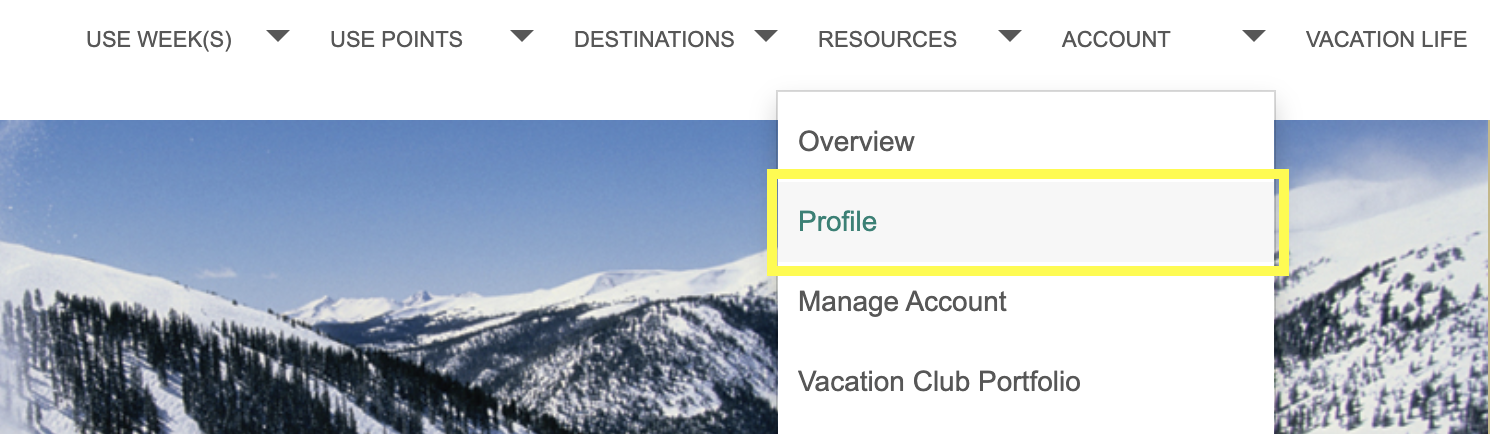
- First, you’ll need to login to your account
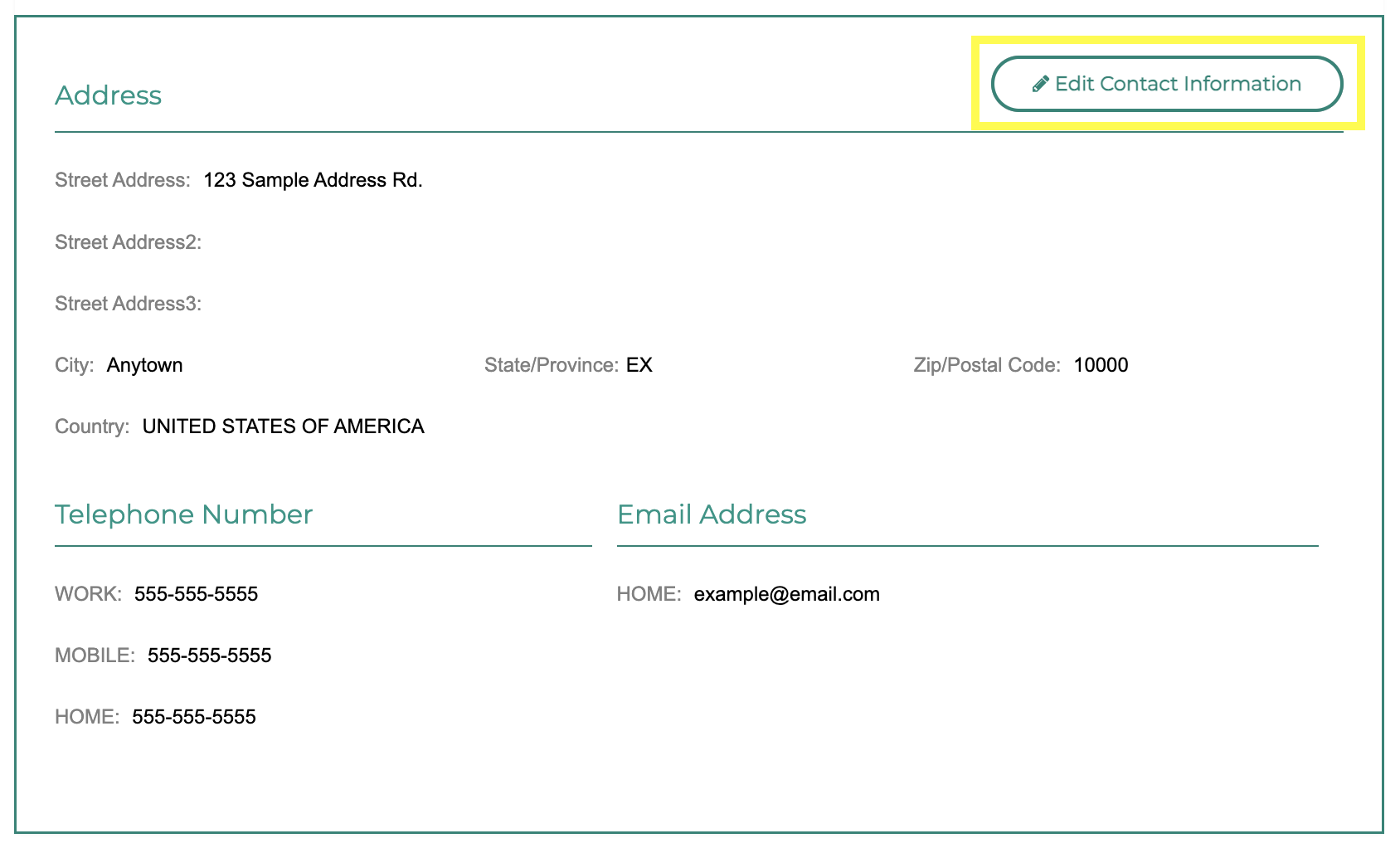
- In the site’s top navigation menu, find the “Account” menu item, hover over it to open the sub-menu, then select the “Profile” menu itemScroll down to the Contact information section, and review your Address, Telephone Number, and Email Address for accuracy
- If needed, you can click the “Edit Contact Information” button to change the information on file with Marriott
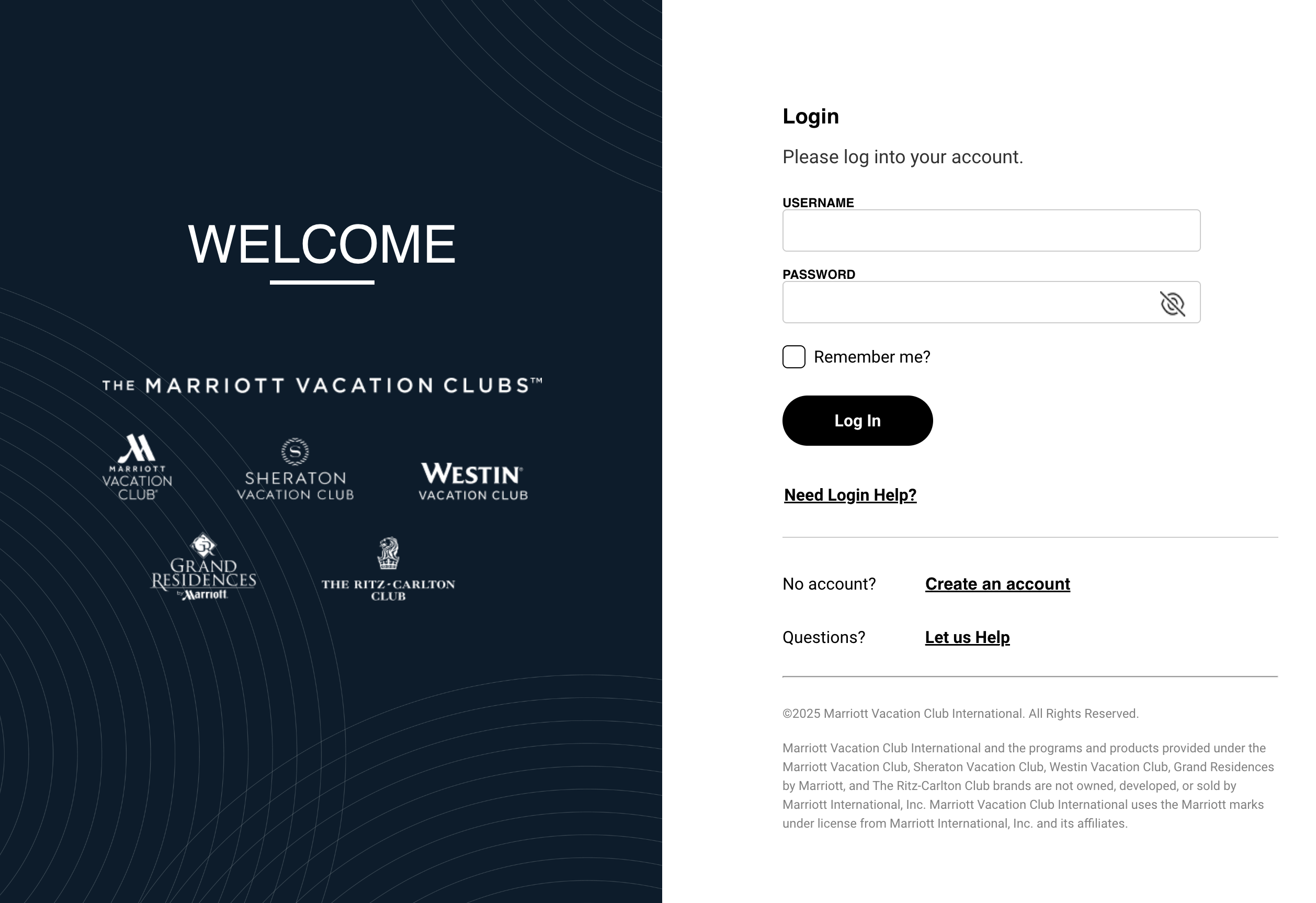
Redesigned Login Page
Along with the new login security features, Marriott has completely redesigned the login page to match the new Marriott Vacation Clubs website theme.
Temporary Website Downtime
Marriott Vacation Club previously announced that the Owner website was temporarily unavailable back on January 24, 2026 which gave time for these updates to take place.
The site is currently operational, so if you’re having any trouble logging in, Owner Services has been requesting for owners to clear their browser’s cache and cookies stored for the Marriott Vacation Club website.
Conclusion
The introduction of two-factor authentication by Marriott Vacation Club is a step forward for improving the security of owner accounts. The process will require some adjustment for owners, but the added protection is well worth the effort.
For Marriott Vacation Club owners, now is the time to prepare for this change by ensuring your contact information is up to date and familiarizing yourself with the two-factor authentication process. We hope this article helps you get ahead of these changes, and not be surprised when you encounter a completely new login experience.